Next.js vs Remix: Deployment and Hosting Options (What to Choose in 2026)
Compare Next.js vs Remix deployment and hosting options: Vercel, Node servers, containers, edge runtimes, and platform fit. Learn which framework is easier to host and scale in 2026.
Choosing between Next.js and Remix often comes down to developer experience and routing patterns—but in production, deployment and hosting options can matter just as much. This guide compares how Next.js and Remix run in different environments (serverless, edge, traditional servers), what platforms support them best, and what to watch for when you’re optimizing for cost, performance, and operational simplicity.
- Best for “one-click” hosting: Next.js on Vercel, Remix on Fly.io/Render (or any Node host)
- Most flexible runtime targets: Remix (Node, edge-style runtimes depending on adapter)
- Most ecosystem hosting guidance: Next.js (large host support + official integrations)
- Lowest-ops path: Next.js on Vercel; Remix on a managed Node platform with autoscaling
How Next.js Deploys: Runtimes and Output Modes
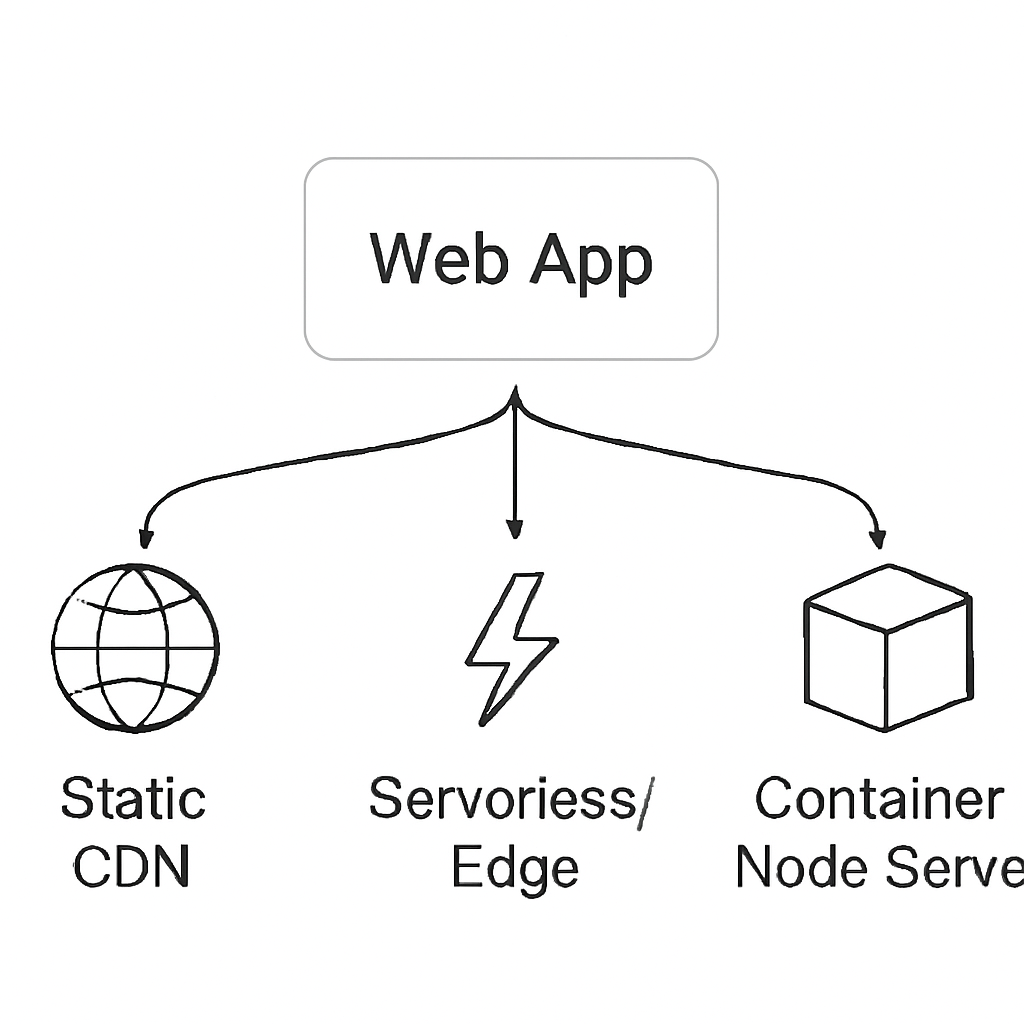
Next.js supports multiple deployment shapes depending on how you build and which features you use (SSR, API routes, middleware, image optimization, etc.). The key is understanding what your build produces and which runtime it expects.
1) Vercel (first-party) — the “reference” platform
Vercel is the default deployment target for Next.js and generally offers the smoothest experience for features like server components, SSR/ISR, and route handlers. It supports serverless and edge execution models (depending on what you configure), plus built-in CDN behavior for static assets.
- Pros: minimal configuration; strong defaults; good support for Next.js features
- Cons: platform-specific behaviors can influence architecture; pricing may be a factor at scale
2) Node.js servers (self-hosting or PaaS)
Next.js can run as a Node server (for example in a container) behind your own load balancer or on platforms that run Docker/Node apps. This path is common when you want full control over runtime, networking, and observability, or when you’re standardizing on containers.
- Typical fits: Kubernetes, Docker-based PaaS, VMs
- Good for: long-lived processes, custom reverse proxies, unified deployment with other services
3) Static export (where applicable)
Some Next.js apps can be exported as static files and hosted on any static host/CDN. This works best when your app doesn’t need server-side rendering at request time and you can pre-render pages at build time.
- Pros: cheapest hosting; very fast via CDN; simple ops
- Cons: not suitable for dynamic SSR needs; certain features require a server runtime
How Remix Deploys: Adapters and Runtime Targets
Remix is built around the idea of running on many platforms via adapters. Instead of tying deployment to one provider, Remix encourages you to pick a runtime (Node, edge-like environments, serverless) and use the appropriate adapter for that host.
1) Node hosting (containers, VMs, and managed Node platforms)
Remix is very comfortable in a standard Node.js environment, making it a natural fit for containerized deployments or platforms that run Node apps directly. If you already run services in Docker or on a PaaS with HTTP routing, Remix generally fits in with little friction.
- Pros: portable; straightforward operations; easy to colocate with other services
- Cons: you manage scaling characteristics depending on the platform
2) Edge/serverless-style runtimes via adapters
Remix can target edge-like environments through specific adapters. This is useful when you want low-latency responses close to users or you want to offload scaling to the platform’s serverless model. The trade-off is that edge runtimes can have differences from full Node (APIs, filesystem access, and some libraries).
- Pros: global performance potential; scaling handled by platform
- Cons: runtime constraints may require code changes and careful dependency choices
3) Traditional web servers and reverse proxies
Because Remix can be run in conventional server setups, it’s common to put it behind Nginx/HAProxy/Cloud load balancers, integrate with existing auth gateways, and follow established ops patterns.
Platform-by-Platform: What Usually Works Best
Below are practical, commonly used matches. Exact availability and feature parity depend on your chosen runtime and which framework features you rely on.
Vercel
- Next.js: best-in-class integration; often the simplest route
- Remix: can be deployed, but Next.js is the primary focus of the platform experience
Netlify
- Next.js: supported, but feature support can vary depending on Next features and Netlify’s integration
- Remix: commonly deployed using Netlify’s runtime model via the appropriate adapter
Cloudflare (Pages/Workers-style edge runtimes)
- Remix: a frequent choice for edge deployments with an adapter approach
- Next.js: possible via specific approaches, but edge deployment details depend on your configuration and supported features
AWS / GCP / Azure
- Next.js: works well on containers, VMs, and some serverless patterns; you’ll choose architecture based on SSR and caching needs
- Remix: similarly flexible; often straightforward on containers/VMs; serverless/edge depends on the target runtime and adapter
Fly.io / Render / Railway (managed app platforms)
- Remix: strong fit for Node server deployments with minimal ceremony
- Next.js: also works well, especially when deployed as a Node server or container
Key Differences That Affect Hosting Decisions
1) Portability vs “opinionated best path”
Next.js tends to have a very polished “golden path” on Vercel. Remix tends to emphasize portability by design via adapters. If your organization wants a provider-agnostic deployment story, Remix’s adapter model can feel more natural; if you want the most turnkey experience, Next.js on Vercel is hard to beat.
2) Runtime constraints (Node vs edge)
Edge runtimes can be excellent for latency-sensitive apps, but they impose constraints (for example, not all Node APIs are available). If you require Node-only libraries or filesystem access at runtime, a container/VM/Node-server deployment is usually safer for both Next.js and Remix.
3) Caching and CDN strategy
Both frameworks can benefit from a strong CDN strategy for static assets. Dynamic responses (SSR) may be cached differently depending on platform primitives. The practical point: pick a host whose caching model matches how you plan to serve dynamic pages (and confirm how revalidation or caching headers behave in your target environment).
4) Observability and operational control
Containerized deployments (Kubernetes, Docker platforms) often provide more uniform logging, metrics, and tracing across services. Managed “framework-native” hosting can be faster to set up, but your observability story may be more platform-specific.
Decision Guide: Which Hosting Path Should You Choose?
Choose Next.js (and likely Vercel) if you:
- Want the fastest route to production with minimal infrastructure work
- Rely heavily on Next.js-specific features that are best supported on Vercel
- Prefer a highly integrated build/deploy workflow and managed defaults
Choose Remix (often on Node hosts or edge via adapters) if you:
- Need provider flexibility and a deployment model that fits multiple runtimes
- Want a straightforward Node server you can run anywhere (containers/VMs/PaaS)
- Plan to target an edge runtime and are comfortable with its constraints
If you’re undecided, a safe baseline is:
- Next.js: deploy first to Vercel for speed, then revisit portability if requirements change
- Remix: deploy first as a standard Node app (container or managed Node PaaS), then consider edge adapters if latency becomes a priority
Common Pitfalls (and How to Avoid Them)
- Assuming every platform supports every feature: validate SSR, caching/revalidation, and image handling in your target host early.
- Choosing edge by default: edge is great, but verify library compatibility and runtime APIs first.
- Underestimating cold starts and scaling behavior: test realistic traffic patterns in staging on the exact platform plan you’ll use.
- Skipping observability planning: ensure you can capture logs, errors, and performance metrics in production before launch.
Conclusion
For deployment and hosting, Next.js often shines when you want an integrated, low-ops path—especially on Vercel. Remix stands out when you want portability and clear control over runtime targets through adapters, making it easy to fit into containerized or multi-cloud strategies. The best choice is less about “which framework is better” and more about which hosting model matches your team’s constraints, performance goals, and long-term platform strategy.